The following instructions are for paying your open invoices. Invoices can be accessed from your Spendgo billing email notifications sent to your billing contact’s email address.
-
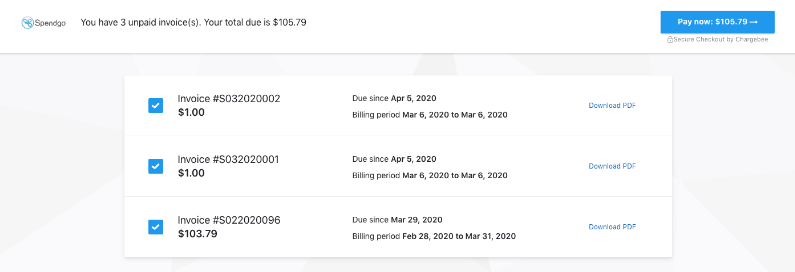
Click the Pay Now button in your invoice email to see a summary of your open invoices and the corresponding amounts, due dates, and billing periods.
-
Select each invoice you want to pay and click the Pay Now button at the top right.
*Your invoice details can be downloaded by clicking on Download PDF -
A prompt with your saved payment methods will appear. Select the payment method you would like to use and click Pay Now.
-
A popup will notify you that the payment was successful and a confirmation email will be sent to your billing email address.